
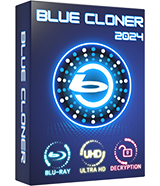
Blue-Cloner
Blue-Cloner 2024, the newest iteration in the esteemed Blue-Cloner line, is here to redefine your Blu-ray copying and conversion experience. Boasting a more powerful Blu-ray drive reading capability, it delivers expedited copying speeds while maintaining the premium quality of Blu-ray burns. Navigating the software is a breeze, thanks to its revamped, user-friendly interface. With its commitment to embracing the latest Blu-ray releases, you're assured of broad compatibility with an extensive array of content. The pioneering UHD Cache Encoding Technology in Blue-Cloner 2024 is a game-changer, caching disc data on the hard drive prior to encoding to enhance the longevity of your Blu-ray drive. And for those who are dedicated DVD collectors, the software offers a seamless Blu-ray to DVD conversion feature. Continuing the legacy of the Blue-Cloner series, it maintains stellar compatibility with a wide range of Blu-ray players, ensuring a consistently smooth and enjoyable viewing experience on various devices.Dual UI Modes: Express and Expert
- Express Mode (One-Click Copy): Effortlessly copy Blu-ray to BD-25, Blu-ray to BD-50, and 4K UHD Blu-ray to BD-50 with just one click.
- Expert Mode (Advanced Copy): Tackle sophisticated Blu-ray copy tasks, like duplicating Blu-ray movies to blank discs or as Blu-ray folders or ISO image files on hard disks.
Comprehensive Blu-ray Disc Decryption (Requires Internet)
- Blue-Cloner doubles as a Blu-ray decrypter, bypassing various protections like AACS, BD+, region codes, UOPs, and more.
- Effectively removes Cinavia watermarks from audio tracks, ensuring compatibility across all playback devices.
Perfect 1:1 Blu-ray Duplication
- Clone Blu-ray movies to blank BD-R/RE (DL) discs in a flawless 1:1 ratio.
- Backup Blu-ray discs to hard disk as Blu-ray folders or ISO files for easy burning or internet sharing.
Complete Movie Copy
- Copy the entire Blu-ray disc, excluding unnecessary menus and extras, while retaining main audio tracks and subtitles.
- Opt for audio track and subtitle selection to personalize your Blu-ray copy.
Movie-Only Copy
- Duplicate only the main movie from a Blu-ray disc, excluding extras like menus, audio tracks, and subtitles.
- Smart detection of the main movie to avoid copying incorrect content.
Split Blu-ray Copy
- Divide a 50G Blu-ray movie into two 25G BD-R/RE discs, including menus and extras.
- Option to retain menus during the split.
Customized Movie Copy
- Select specific chapters, audio tracks, and subtitles for copying.
- Utilize the built-in player for chapter preview.
Blu-ray to BD-R (DL) Burning
- Burn Blu-ray folders or ISO files from the hard disk to BD-R/RE (DL) with various copy options.
4K UHD Blu-ray Copy
- One-click function to copy 4K UHD Blu-ray movies.
- Preserve HDR10 and Dolby HD audio from the original 4K UHD Blu-ray.
- Multiple 4K UHD Blu-ray copy modes: perfect 1:1, complete movie, movie-only, split, and episodic.
- Backup 4K UHD Blu-ray to hard disk as a folder or ISO file.
- Improved HST feature for faster UHD encoding.
Blu-ray to DVD Conversion
- Convert Blu-ray to DVD-Video discs (DVD-5, DVD-9), ISO files, or DVD format folders.
- Convert to blank AVCHD DVD-5 or DVD-9 discs (BD-5 or BD-9 output).
- Customize audio tracks and subtitles, remove unwanted parts.
- Ensure perfect A/V sync and original quality in DVD output.
- Choose between NTSC or PAL DVD encoding formats.
Exceptional Copy Speed and Quality
- Leverages NVIDIA CUDA, Intel Quick Sync, and other technologies for ultra-fast Blu-ray/UHD copying.
OpenCloner Decode Widget
- Serves as a Blu-ray decryption plugin, enabling VLC to play encrypted Blu-ray and UHD movies.
Additional Features
- Compatible with Windows 11.
- Simplified multiple copy processes.
- Option to skip bad sectors during disc reading.
- Direct feedback system within the software.
- Convert HD audio tracks to standard formats.
- Broad compatibility with various Blu-ray drives and burners.
- Playback capability on different Blu-ray players or PC software.
- Efficient performance without system lag.
- Try Blue-Cloner full version free for 7 days before purchase.
- Option to delete temporary files post-copy.
.jpg)

.jpg)
Blue-Cloner 2024 V13.70.863 Released
Jan.14, 2025
- Supported the newest released movies.